

No More Chasing Invoices
Put your invoice reminders on autopilot. Provide access to a fully branded portal where your clients can view and pay their invoices.Automate your Accounting
Eliminate routine accounting tasks with automated bank feeds and reconciliation. Connects to all major UK banks and over 300 other web services.Ridiculously Easy to Use
QuickFile Accounting Software was designed to be simple and intuitive. No steep learning curve. When you need help we're always available.Capture Receipts from the QuickFile App
Download the QuickFile App for iOS and Android to capture and store your receipts in the cloud. You can tag your receipts from the app, or upload them to the Receipt Hub and tag later. QuickFile Accounting Software makes it simple to maintain good business records and stay productive while on the move.
Beautifully designed, fully trackable invoices
QuickFile Accounting Software has all the tools you need to create beautifully designed fully customisable invoices. You can even create a branded online portal where your clients can view, download, print and pay their invoices through a growing list of portals including PayPal, Stripe, GoCardless, Square, SumUp and more.
Free for Small/Medium Sized Accounts
QuickFile Accounting Software is completely free for small to medium sized accounts. As long as your 12 months nominal ledger count remains under 1,000 there's absolutely nothing to pay!
VAT
Track and file your VAT Returns directly to HMRC. We support Standard and Flat Rate VAT methods on both a cash or accrual basis.
Rich Reporting
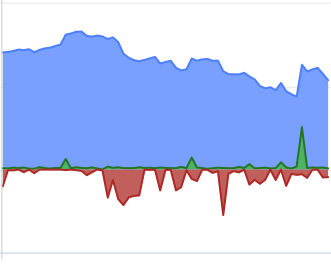
Gain useful insights into your business through a rich set of reports and custom tools. Group activity with Projects or create custom charts to analyse trends.
API
If you’d like to integrate QuickFile Accounting Software with your own back office system, no problem. We have a comprehensive and well documented API.
Multi-Currency
QuickFile provide full multi-currency support covering sales, purchases and foreign currency bank accounts.
Online Payments
Connect your invoices to market leading payment solutions, including Stripe, Square, PayPal, Square, GoCardless and more.
Backups
We run a full remote backup of our systems every 15 minutes. Setup a scheduled backup of your account on a weekly or monthly basis.
Estimates & Orders
It’s not just about invoicing, we provide all the tools you need to handle Estimates, Purchase Orders and Delivery Notes.
Bank Feeds
Connect to over 50 UK banking institutions and automatically import all your transactions. No more tedious bank reconciliation. Full support for Open Banking
2-Factor Security
2-Factor Authentication provides an additional layer of security to protect access to your account.
Integrations
We have direct integrations with Companies House, HMRC, SumUp, PayPal, Dropbox, GoCardless and hundreds more through our Zapier link.
Document
Keep all your documents in one place. Receipts, sales invoice attachments, contracts and letters all indexed and accessible from one location.

MTD ITSA Ready
MTD for Income Tax and Self Assessment (ITSA) is coming. QuickFile Accounting Software is ready to help Landlords and self-employed businesses prepare for MTD.
Latest blog posts
|
11
Apr
|
Accounting isn’t one-size-fits-all. What works for a sole trader will differ from what works for a multi-national company with multiple offices. However, we hope these top five tips will help with your accounting, no matter your size.
Ti
|
|
26
Jan
|
If you’re new to bookkeeping, you’ve likely never heard of bank reconciliation before, but it can be an important part of ensuring your accounting is accurate and up-to-date.
What is bank reconciliation?
Bank reconciliation is the proces
|
|
5
Dec
2023
|
Mistakes happen all the time, whether you forget to email your customers promptly, or you forget to put milk in your morning coffee (if you take milk, that is). But what happens when you make a mistake on your VAT return?
The first step
|
|
27
Nov
2023
|
Employees may come into the business with certain expectations about receiving a rise. It could be that they expect an annual increase, or it could be after taking on several extra responsibilities. Large corporations can typically affor
|
|
10
Nov
2023
|
An unlawful dividend, also known as an illegal dividend or unlawful distribution, can occur in six different ways:
There are insufficient profits in the company
It was drawn without reference to the relevant account
The company was inso
|